Forward Email MCP Server
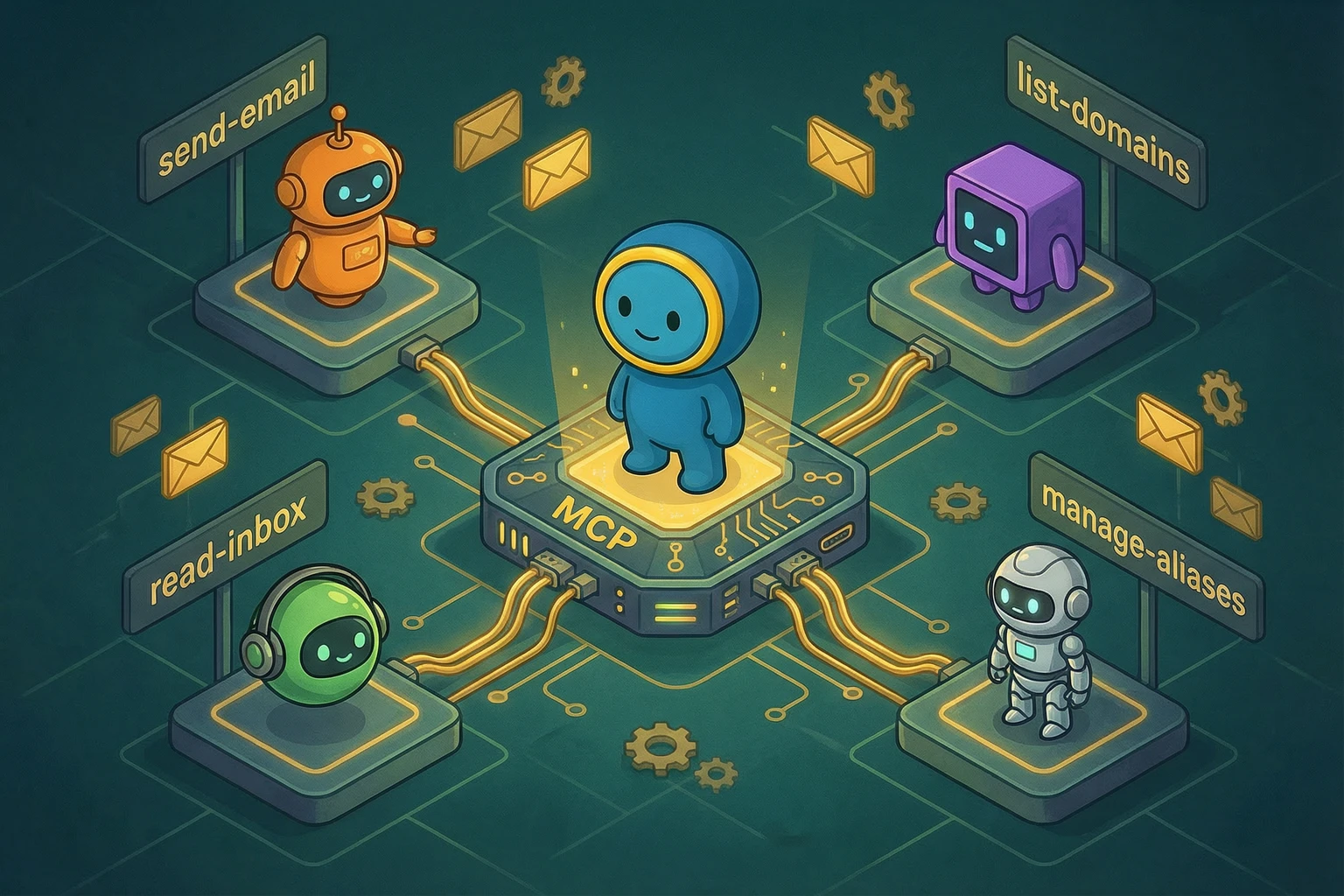
TL;DR: Our open-source MCP server lets AI assistants like Claude, ChatGPT, Cursor, and Windsurf manage your email, domains, aliases, contacts, and calendars through natural language. All 68 API endpoints are exposed as MCP tools. It runs locally via npx @forwardemail/mcp-server — your credentials never leave your machine.
What is MCP?
Model Context Protocol (MCP) is an open standard created by Anthropic that lets AI models securely call external tools. Instead of copy-pasting API responses into a chat window, MCP gives the model direct, structured access to your services.
Our MCP server wraps the entire Forward Email API — every endpoint, every parameter — and exposes them as tools that any MCP-compatible client can use. The server runs locally on your machine using stdio transport. Your credentials stay in your environment variables and are never sent to the AI model.
Quick Start
Get an API Key
- Log in to your Forward Email account.
- Go to My Account → Security → API Keys.
- Generate a new API key and copy it.
Claude Desktop
Add this to your Claude Desktop config file:
macOS: ~/Library/Application Support/Claude/claude_desktop_config.json
Windows: %APPDATA%\Claude\claude_desktop_config.json
{
  "mcpServers": {
    "forwardemail": {
      "command": "npx",
      "args": ["-y", "@forwardemail/mcp-server"],
      "env": {
        "FORWARD_EMAIL_API_KEY": "your-api-key-here",
        "FORWARD_EMAIL_ALIAS_USER": "you@example.com",
        "FORWARD_EMAIL_ALIAS_PASSWORD": "your-generated-alias-password"
      }
    }
  }
}
Restart Claude Desktop. You should see the Forward Email tools in the tool picker.
Note: The
FORWARD_EMAIL_ALIAS_USERandFORWARD_EMAIL_ALIAS_PASSWORDvariables are optional but required for mailbox tools (messages, folders, contacts, calendars). See Authentication for details.
Cursor
Open Cursor Settings → MCP → Add Server:
{
  "mcpServers": {
    "forwardemail": {
      "command": "npx",
      "args": ["-y", "@forwardemail/mcp-server"],
      "env": {
        "FORWARD_EMAIL_API_KEY": "your-api-key-here",
        "FORWARD_EMAIL_ALIAS_USER": "you@example.com",
        "FORWARD_EMAIL_ALIAS_PASSWORD": "your-generated-alias-password"
      }
    }
  }
}
Windsurf
Open Windsurf Settings → MCP → Add Server with the same configuration as above.
Other MCP Clients
Any client that supports the MCP stdio transport will work. The command is:
FORWARD_EMAIL_API_KEY=your-api-key \
  FORWARD_EMAIL_ALIAS_USER=you@example.com \
  FORWARD_EMAIL_ALIAS_PASSWORD=your-generated-alias-password \
  npx @forwardemail/mcp-server
Authentication
The Forward Email API uses HTTP Basic authentication with two different credential types depending on the endpoint. The MCP server handles this automatically — you just need to provide the right credentials.
API Key Auth
Most management endpoints (domains, aliases, outbound emails, logs) use your API key as the Basic auth username with an empty password.
This is the same API key you use for the REST API. Set it via the FORWARD_EMAIL_API_KEY environment variable.
Alias Auth
Mailbox endpoints (messages, folders, contacts, calendars, alias-scoped sieve scripts) use alias credentials — the alias email address as the username and a generated password as the password.
These endpoints access per-alias data via IMAP, CalDAV, and CardDAV protocols. They require the alias email and a generated password, not the API key.
You can provide alias credentials in two ways:
- Environment variables (recommended for default alias): Set
FORWARD_EMAIL_ALIAS_USERandFORWARD_EMAIL_ALIAS_PASSWORD. - Per-tool-call parameters: Pass
alias_usernameandalias_passwordas arguments to any alias-auth tool. These override the environment variables, which is useful when working with multiple aliases.
Generating an Alias Password
Before you can use alias-auth tools, you need to generate a password for the alias. You can do this with the generateAliasPassword tool or via the API:
curl -u "YOUR_API_KEY:" \
  https://api.forwardemail.net/v1/domains/example.com/aliases/ALIAS_ID/generate-password \
  -X POST
The response includes the username (alias email) and password fields. Use these as your alias credentials.
Tip: You can also ask your AI assistant: "Generate a password for the alias user@example.com on domain example.com" — it will call the
generateAliasPasswordtool and return the credentials.
The table below summarizes which auth method each tool group requires:
| Tool Group | Auth Method | Credentials |
|---|---|---|
| Account | API Key or Alias Auth | Either |
| Domains, Aliases, Domain Members, Invites, Catch-All Passwords | API Key | FORWARD_EMAIL_API_KEY |
| Outbound Emails (list, get, delete, limit) | API Key | FORWARD_EMAIL_API_KEY |
| Send Email | API Key or Alias Auth | Either |
| Messages (IMAP) | Alias Auth | FORWARD_EMAIL_ALIAS_USER + FORWARD_EMAIL_ALIAS_PASSWORD |
| Folders (IMAP) | Alias Auth | FORWARD_EMAIL_ALIAS_USER + FORWARD_EMAIL_ALIAS_PASSWORD |
| Contacts (CardDAV) | Alias Auth | FORWARD_EMAIL_ALIAS_USER + FORWARD_EMAIL_ALIAS_PASSWORD |
| Calendars (CalDAV) | Alias Auth | FORWARD_EMAIL_ALIAS_USER + FORWARD_EMAIL_ALIAS_PASSWORD |
| Calendar Events (CalDAV) | Alias Auth | FORWARD_EMAIL_ALIAS_USER + FORWARD_EMAIL_ALIAS_PASSWORD |
| Sieve Scripts (domain-scoped) | API Key | FORWARD_EMAIL_API_KEY |
| Sieve Scripts (alias-scoped) | Alias Auth | FORWARD_EMAIL_ALIAS_USER + FORWARD_EMAIL_ALIAS_PASSWORD |
| Logs | API Key | FORWARD_EMAIL_API_KEY |
| Encrypt | None | No credentials needed |
All 68 Tools
Every tool maps directly to a Forward Email API endpoint. Parameters use the same names as the API docs. The auth method is noted in each section heading.
Account (API Key or Alias Auth)
With API key auth, these return your user account info. With alias auth, they return alias/mailbox info including storage quota and settings.
| Tool | API Endpoint | Description |
|---|---|---|
getAccount |
GET /v1/account |
Get your account information |
updateAccount |
PUT /v1/account |
Update your account settings |
Domains (API Key)
| Tool | API Endpoint | Description |
|---|---|---|
listDomains |
GET /v1/domains |
List all your domains |
createDomain |
POST /v1/domains |
Add a new domain |
getDomain |
GET /v1/domains/:domain_id |
Get domain details |
updateDomain |
PUT /v1/domains/:domain_id |
Update domain settings |
deleteDomain |
DELETE /v1/domains/:domain_id |
Remove a domain |
verifyDomainRecords |
GET /v1/domains/:domain_id/verify-records |
Verify DNS records |
verifySmtpRecords |
GET /v1/domains/:domain_id/verify-smtp |
Verify SMTP configuration |
testS3Connection |
POST /v1/domains/:domain_id/test-s3-connection |
Test custom S3 storage |
Aliases (API Key)
| Tool | API Endpoint | Description |
|---|---|---|
listAliases |
GET /v1/domains/:domain_id/aliases |
List aliases for a domain |
createAlias |
POST /v1/domains/:domain_id/aliases |
Create a new alias |
getAlias |
GET /v1/domains/:domain_id/aliases/:alias_id |
Get alias details |
updateAlias |
PUT /v1/domains/:domain_id/aliases/:alias_id |
Update an alias |
deleteAlias |
DELETE /v1/domains/:domain_id/aliases/:alias_id |
Delete an alias |
generateAliasPassword |
POST /v1/domains/:domain_id/aliases/:alias_id/generate-password |
Generate IMAP/SMTP password for alias auth |
Emails — Outbound SMTP (API Key; Send supports both)
| Tool | API Endpoint | Auth | Description |
|---|---|---|---|
sendEmail |
POST /v1/emails |
API Key or Alias Auth | Send an email via SMTP |
listEmails |
GET /v1/emails |
API Key | List outbound emails |
getEmail |
GET /v1/emails/:id |
API Key | Get email details and status |
deleteEmail |
DELETE /v1/emails/:id |
API Key | Delete a queued email |
getEmailLimit |
GET /v1/emails/limit |
API Key | Check your sending limit |
The sendEmail tool accepts from, to, cc, bcc, subject, text, html, and attachments. This is the same as the POST /v1/emails endpoint.
Messages — IMAP (Alias Auth)
Requires alias credentials. Pass
alias_usernameandalias_passwordor setFORWARD_EMAIL_ALIAS_USERandFORWARD_EMAIL_ALIAS_PASSWORDenvironment variables.
| Tool | API Endpoint | Description |
|---|---|---|
listMessages |
GET /v1/messages |
List and search messages in a mailbox |
createMessage |
POST /v1/messages |
Create a draft or upload a message |
getMessage |
GET /v1/messages/:id |
Get a message by ID |
updateMessage |
PUT /v1/messages/:id |
Update flags (read, starred, etc.) |
deleteMessage |
DELETE /v1/messages/:id |
Delete a message |
The listMessages tool supports 15+ search parameters including subject, from, to, text, since, before, is_unread, and has_attachment. See the API docs for the full list.
Folders — IMAP (Alias Auth)
Requires alias credentials. Pass
alias_usernameandalias_passwordor setFORWARD_EMAIL_ALIAS_USERandFORWARD_EMAIL_ALIAS_PASSWORDenvironment variables.
| Tool | API Endpoint | Description |
|---|---|---|
listFolders |
GET /v1/folders |
List all mailbox folders |
createFolder |
POST /v1/folders |
Create a new folder |
getFolder |
GET /v1/folders/:id |
Get folder details |
updateFolder |
PUT /v1/folders/:id |
Rename a folder |
deleteFolder |
DELETE /v1/folders/:id |
Delete a folder |
Contacts — CardDAV (Alias Auth)
Requires alias credentials. Pass
alias_usernameandalias_passwordor setFORWARD_EMAIL_ALIAS_USERandFORWARD_EMAIL_ALIAS_PASSWORDenvironment variables.
| Tool | API Endpoint | Description |
|---|---|---|
listContacts |
GET /v1/contacts |
List all contacts |
createContact |
POST /v1/contacts |
Create a new contact |
getContact |
GET /v1/contacts/:id |
Get contact details |
updateContact |
PUT /v1/contacts/:id |
Update a contact |
deleteContact |
DELETE /v1/contacts/:id |
Delete a contact |
Calendars — CalDAV (Alias Auth)
Requires alias credentials. Pass
alias_usernameandalias_passwordor setFORWARD_EMAIL_ALIAS_USERandFORWARD_EMAIL_ALIAS_PASSWORDenvironment variables.
| Tool | API Endpoint | Description |
|---|---|---|
listCalendars |
GET /v1/calendars |
List all calendars |
createCalendar |
POST /v1/calendars |
Create a new calendar |
getCalendar |
GET /v1/calendars/:id |
Get calendar details |
updateCalendar |
PUT /v1/calendars/:id |
Update a calendar |
deleteCalendar |
DELETE /v1/calendars/:id |
Delete a calendar |
Calendar Events — CalDAV (Alias Auth)
Requires alias credentials. Pass
alias_usernameandalias_passwordor setFORWARD_EMAIL_ALIAS_USERandFORWARD_EMAIL_ALIAS_PASSWORDenvironment variables.
| Tool | API Endpoint | Description |
|---|---|---|
listCalendarEvents |
GET /v1/calendar-events |
List all events |
createCalendarEvent |
POST /v1/calendar-events |
Create a new event |
getCalendarEvent |
GET /v1/calendar-events/:id |
Get event details |
updateCalendarEvent |
PUT /v1/calendar-events/:id |
Update an event |
deleteCalendarEvent |
DELETE /v1/calendar-events/:id |
Delete an event |
Sieve Scripts (API Key)
These use domain-scoped paths and authenticate with your API key.
| Tool | API Endpoint | Description |
|---|---|---|
listSieveScripts |
GET /v1/domains/:domain_id/aliases/:alias_id/sieve |
List scripts for an alias |
createSieveScript |
POST /v1/domains/:domain_id/aliases/:alias_id/sieve |
Create a new script |
getSieveScript |
GET /v1/domains/:domain_id/aliases/:alias_id/sieve/:script_id |
Get script details |
updateSieveScript |
PUT /v1/domains/:domain_id/aliases/:alias_id/sieve/:script_id |
Update a script |
deleteSieveScript |
DELETE /v1/domains/:domain_id/aliases/:alias_id/sieve/:script_id |
Delete a script |
activateSieveScript |
POST /v1/domains/:domain_id/aliases/:alias_id/sieve/:script_id/activate |
Activate a script |
Sieve Scripts (Alias Auth)
These use alias-level authentication. Useful for per-alias automation without needing the API key.
Requires alias credentials. Pass
alias_usernameandalias_passwordor setFORWARD_EMAIL_ALIAS_USERandFORWARD_EMAIL_ALIAS_PASSWORDenvironment variables.
| Tool | API Endpoint | Description |
|---|---|---|
listSieveScriptsAliasAuth |
GET /v1/sieve-scripts |
List scripts |
createSieveScriptAliasAuth |
POST /v1/sieve-scripts |
Create a script |
getSieveScriptAliasAuth |
GET /v1/sieve-scripts/:script_id |
Get script details |
updateSieveScriptAliasAuth |
PUT /v1/sieve-scripts/:script_id |
Update a script |
deleteSieveScriptAliasAuth |
DELETE /v1/sieve-scripts/:script_id |
Delete a script |
activateSieveScriptAliasAuth |
POST /v1/sieve-scripts/:script_id/activate |
Activate a script |
Domain Members and Invites (API Key)
| Tool | API Endpoint | Description |
|---|---|---|
updateDomainMember |
PUT /v1/domains/:domain_id/members/:member_id |
Change a member's role |
removeDomainMember |
DELETE /v1/domains/:domain_id/members/:member_id |
Remove a member |
acceptDomainInvite |
GET /v1/domains/:domain_id/invites |
Accept a pending invite |
createDomainInvite |
POST /v1/domains/:domain_id/invites |
Invite someone to a domain |
removeDomainInvite |
DELETE /v1/domains/:domain_id/invites |
Revoke an invite |
Catch-All Passwords (API Key)
| Tool | API Endpoint | Description |
|---|---|---|
listCatchAllPasswords |
GET /v1/domains/:domain_id/catch-all-passwords |
List catch-all passwords |
createCatchAllPassword |
POST /v1/domains/:domain_id/catch-all-passwords |
Create a catch-all password |
deleteCatchAllPassword |
DELETE /v1/domains/:domain_id/catch-all-passwords/:token_id |
Delete a catch-all password |
Logs (API Key)
| Tool | API Endpoint | Description |
|---|---|---|
downloadLogs |
GET /v1/logs/download |
Download email delivery logs |
Encrypt (No Auth)
| Tool | API Endpoint | Description |
|---|---|---|
encryptRecord |
POST /v1/encrypt |
Encrypt a DNS TXT record |
This tool does not require authentication. It encrypts forwarding records like forward-email=user@example.com for use in DNS TXT records.
20 Real-World Use Cases
Here are practical ways to use the MCP server with your AI assistant:
1. Email Triage
Ask your AI to scan your inbox and summarize unread messages. It can flag urgent emails, categorize by sender, and draft replies — all through natural language. (Requires alias credentials for inbox access.)
2. Domain Setup Automation
Setting up a new domain? Ask the AI to create the domain, add your aliases, verify DNS records, and test SMTP configuration. What normally takes 10 minutes of clicking through dashboards becomes one conversation.
3. Bulk Alias Management
Need to create 20 aliases for a new project? Describe what you need and let the AI handle the repetitive work. It can create aliases, set forwarding rules, and generate passwords in one go.
4. Email Campaign Monitoring
Ask your AI to check sending limits, list recent outbound emails, and report on delivery status. Useful for monitoring transactional email health.
5. Contact Sync and Cleanup
Use the CardDAV tools to list all contacts, find duplicates, update outdated information, or bulk-create contacts from a spreadsheet you paste into the chat. (Requires alias credentials.)
6. Calendar Management
Create calendars, add events, update meeting times, and delete cancelled events — all through conversation. The CalDAV tools support full CRUD on both calendars and events. (Requires alias credentials.)
7. Sieve Script Automation
Sieve scripts are powerful but the syntax is arcane. Ask your AI to write Sieve scripts for you: "Filter all emails from billing@example.com into a Billing folder" becomes a working script without touching the RFC 5228 spec.
8. Team Onboarding
When a new team member joins, ask the AI to create their alias, generate a password, send them a welcome email with their credentials, and add them as a domain member. One prompt, four API calls.
9. Security Auditing
Ask your AI to list all domains, check DNS verification status, review alias configurations, and identify any domains with unverified records. A quick security sweep in natural language.
10. Email Forwarding Setup
Setting up email forwarding for a new domain? Ask the AI to create the domain, add forwarding aliases, encrypt the DNS records, and verify everything is configured correctly.
11. Inbox Search and Analysis
Use the message search tools to find specific emails: "Find all emails from john@example.com in the last 30 days that have attachments." The 15+ search parameters make this powerful. (Requires alias credentials.)
12. Folder Organization
Ask your AI to create a folder structure for a new project, move messages between folders, or clean up old folders you no longer need. (Requires alias credentials.)
13. Password Rotation
Generate new alias passwords on a schedule. Ask your AI to generate a new password for each alias and report the new credentials.
14. DNS Record Encryption
Encrypt your forwarding records before adding them to DNS. The encryptRecord tool handles this without authentication — useful for quick one-off encryptions.
15. Delivery Log Analysis
Download your email delivery logs and ask the AI to analyze bounce rates, identify problematic recipients, or track delivery times.
16. Multi-Domain Management
If you manage multiple domains, ask the AI to give you a status report: which domains are verified, which have issues, how many aliases each has, and what the sending limits look like.
17. Catch-All Configuration
Set up catch-all passwords for domains that need to receive email at any address. The AI can create, list, and manage these passwords for you.
18. Domain Invite Management
Invite team members to manage domains, check pending invites, and clean up expired ones. Useful for organizations with multiple domain administrators.
19. S3 Storage Testing
If you use custom S3 storage for email backups, ask the AI to test the connection and verify it's working correctly.
20. Email Draft Composition
Create draft emails in your mailbox without sending them. Useful for preparing emails that need review before sending, or for building email templates. (Requires alias credentials.)
Example Prompts
Here are prompts you can use directly with your AI assistant:
Sending email:
"Send an email from hello@mydomain.com to john@example.com with the subject 'Meeting Tomorrow' and body 'Hi John, are we still on for 2pm?'"
Domain management:
"List all my domains and tell me which ones have unverified DNS records."
Alias creation:
"Create a new alias support@mydomain.com that forwards to my personal email."
Inbox search (requires alias credentials):
"Find all unread emails from the last week that mention 'invoice'."
Calendar (requires alias credentials):
"Create a calendar called 'Work' and add a meeting for tomorrow at 2pm called 'Team Standup'."
Sieve scripts:
"Write a Sieve script for info@mydomain.com that auto-replies to emails with 'Thanks for reaching out, we'll get back to you within 24 hours.'"
Bulk operations:
"Create aliases for sales@, support@, billing@, and info@ on mydomain.com, all forwarding to team@mydomain.com."
Security check:
"Check the DNS and SMTP verification status for all my domains and tell me if anything needs attention."
Generate alias password:
"Generate a password for the alias user@example.com so I can access my inbox."
Environment Variables
| Variable | Required | Default | Description |
|---|---|---|---|
FORWARD_EMAIL_API_KEY |
Yes | — | Your Forward Email API key (used as Basic auth username for API-key endpoints) |
FORWARD_EMAIL_ALIAS_USER |
No | — | Alias email address for mailbox endpoints (e.g. user@example.com) |
FORWARD_EMAIL_ALIAS_PASSWORD |
No | — | Generated alias password for mailbox endpoints |
FORWARD_EMAIL_API_URL |
No | https://api.forwardemail.net |
API base URL (for self-hosted or testing) |
Security
The MCP server runs locally on your machine. Here's how security works:
- Your credentials stay local. Both your API key and alias credentials are read from environment variables and used to authenticate API requests via HTTP Basic auth. They are never sent to the AI model.
- stdio transport. The server communicates with the AI client over stdin/stdout. No network ports are opened.
- No data storage. The server is stateless. It doesn't cache, log, or store any of your email data.
- Open source. The entire codebase is on GitHub. You can audit every line.
Programmatic Usage
You can also use the server as a library:
const { McpServer } = require('@forwardemail/mcp-server');

const server = new McpServer({
  apiKey: 'your-api-key',
  aliasUser: 'user@example.com',
  aliasPassword: 'generated-alias-password',
});

server.listen();
Open Source
The Forward Email MCP Server is open-source on GitHub under the BUSL-1.1 license. We believe in transparency. If you find a bug or want a feature, open an issue.